Why Online Privacy Matters More Than Ever
Data tracking, targeted ads, and cyber threats have become part of everyday internet use. From social media platforms to online shopping websites, almost every click is monitored, stored, and sometimes sold. In this environment, protecting your online privacy is no longer optional it’s essential.
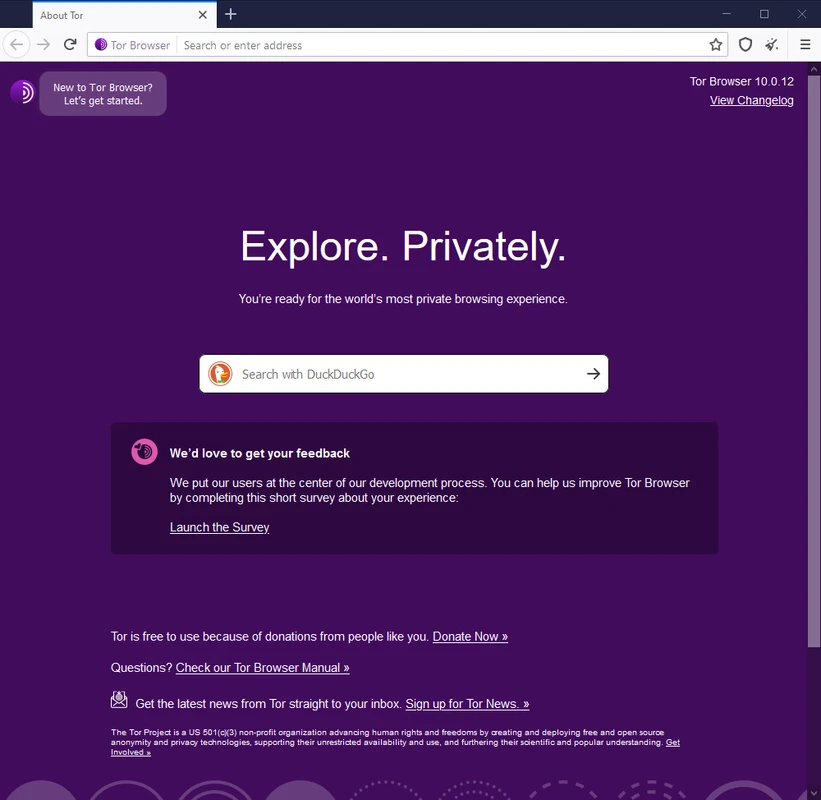
One of the most powerful tools for anonymous browsing is the Tor Browser. Whether you want to access onion sites, prevent online surveillance, or simply browse without being tracked, Tor offers a secure and private solution trusted by millions worldwide.
What Is Tor Browser?
Tor Browser is a free, open-source web browser designed specifically for anonymous browsing and enhanced online privacy. Unlike traditional browsers, it routes your internet traffic through multiple encrypted servers (called nodes), making it extremely difficult for anyone to trace your activity or determine your real IP address.
The browser is developed by the Tor Project, a nonprofit organization committed to defending digital privacy and freedom online. The project focuses on building tools that protect users from tracking, censorship, and surveillance.
How Tor Browser Works
Tor stands for The Onion Router, a name that reflects its layered encryption system.
Layered Encryption Explained
Here’s how the Tor network works:
- Your data is encrypted multiple times.
- It travels through a network of volunteer-operated servers (nodes).
- Each node removes one layer of encryption.
- The final node (exit node) sends your request to the destination website.
Because of this multi-layered encryption process, your IP address remains hidden. This makes Tor one of the most secure browsers for private browsing and online anonymity.
Key Features of Tor Browser
Anonymous Browsing
Tor masks your IP address and replaces it with one from the Tor network. This prevents websites, advertisers, and even your Internet Service Provider (ISP) from tracking your physical location.
Access to Onion Sites
Tor allows users to access .onion websites, commonly referred to as part of the deep web or dark web. These websites are not indexed by traditional search engines and are accessible only through the Tor network.
Built-in Security Settings
Tor Browser includes advanced privacy-focused features such as:
- HTTPS enforcement
- Script blocking
- Tracker blocking
- Browser fingerprint resistance
These features help reduce digital footprints and increase security while browsing.
Anti-Surveillance Technology
Journalists, activists, and privacy advocates often rely on Tor to avoid censorship and mass surveillance. Organizations like the Electronic Frontier Foundation actively support digital privacy tools and advocate for stronger online anonymity protections.
Is Tor Browser Legal?
Yes, Tor Browser is legal in most countries. It is simply a privacy-focused web browser. However, your online activities are still subject to local laws and regulations. Using Tor responsibly and ethically is always important.
Benefits of Using Tor Browser
Enhanced Online Privacy
Tor prevents ISPs from seeing which websites you visit. Instead, they can only see that you are connected to the Tor network.
Bypass Censorship
In regions where websites are blocked or restricted, Tor can help users access uncensored information and communicate freely.
Protection from Data Collection
Unlike many mainstream browsers that collect user data, Tor minimizes tracking mechanisms and prevents advanced browser fingerprinting.
Safe Research and Whistleblowing
Tor provides a safer environment for researchers, journalists, and whistleblowers who need confidential communication channels.
Tor Browser vs Traditional Browsers
Most traditional browsers, including those developed by Mozilla, focus on speed, performance, and user convenience. Tor Browser, although based on Firefox, prioritizes privacy and anonymity over speed.
Key Differences
- Tor routes traffic through multiple nodes; traditional browsers connect directly.
- Tor blocks trackers by default.
- Tor reduces fingerprinting risks.
- Browsing speed may be slower on Tor due to encryption layers.
For additional privacy, many users pair Tor with privacy-focused search engines like DuckDuckGo or Startpage, which do not store personal search histories.
How to Download and Install Tor Browser
Installation Steps
- Visit the official website at Tor Project.
- Select your operating system (Windows, macOS, Linux, or Android).
- Download the official installer.
- Run the installation file.
- Launch the browser and connect to the Tor network.
Always download Tor Browser from the official source to avoid malware or counterfeit versions.
Common Myths About Tor Browser
Myth 1: Tor Is Only for Criminal Activity
Tor is widely used for legitimate purposes such as protecting freedom of speech, conducting research, and ensuring privacy in restrictive regions.
Myth 2: Tor Makes You Completely Invisible
While Tor significantly increases anonymity, no tool guarantees 100% invisibility. Safe browsing habits and cautious behavior are still necessary.
Myth 3: Tor Is the Same as a VPN
Tor and VPNs are different technologies. A VPN encrypts your connection and routes it through a single server. Tor routes traffic through multiple encrypted nodes, offering stronger anonymity but often slower speeds.
Best Practices for Using Tor Safely
Improve Your Security
To maximize your privacy while using Tor:
- Avoid logging into personal accounts.
- Do not download files unless necessary.
- Disable additional browser plugins.
- Use encrypted communication services like ProtonMail for secure email.
- Keep Tor Browser updated to the latest version.
These practices significantly reduce the risk of exposing your identity.
Disadvantages of Tor Browser
While Tor offers powerful anonymity features, it also has limitations:
- Slower browsing speeds due to multi-layer routing.
- Some websites block Tor exit nodes.
- Limited compatibility with streaming services.
- Not ideal for large downloads.
If speed is your primary concern, Tor may not replace your everyday browser. However, for secure browsing and anonymity, it remains one of the most reliable tools available.
Who Should Use Tor Browser?
Tor is ideal for:
- Privacy-conscious individuals
- Journalists and activists
- Researchers handling sensitive information
- Users in censored regions
- Anyone concerned about surveillance capitalism
Even everyday internet users can benefit from the enhanced protection Tor provides.
Is Tor Browser Worth It?
If your goal is anonymous browsing, secure internet access, and protection against online tracking, Tor Browser is absolutely worth considering. It stands as one of the most effective privacy tools available today.
While it may not replace your default browser for speed and convenience, it plays a critical role in safeguarding digital freedom and personal privacy.
In a world where personal data is constantly collected and monetized, using Tor Browser is not about hiding it’s about taking back control of your online identity.